Log it in class. Have the record ready for the meeting.

Each time a student uses an IEP, 504, ESL or MTSS accommodation, log it in a few taps. When the review comes, print a dated report of every entry.

One account on iPhone, computers and Chromebooks.

QR code that opens Track Deck on the App Store

On a computer? Scan with your iPhone camera to get the app.

The Log accommodation screen in Track Deck, with two accommodations checked for a math test and Successful chosen as the outcome.

From the classroom to the meeting

Add each student's accommodations once, worded the way the plan words them. After that, every entry takes a few taps.

Log it while it happens

Check the accommodations you provided, choose the subject, say what they were used for and how it went. Add a note if it helps.

  • IEP
  • 504
  • ESL
  • MTSS

Every student's history in one place

Entries are dated and kept with the student, newest first. Filter by month or by accommodation to see what is working.
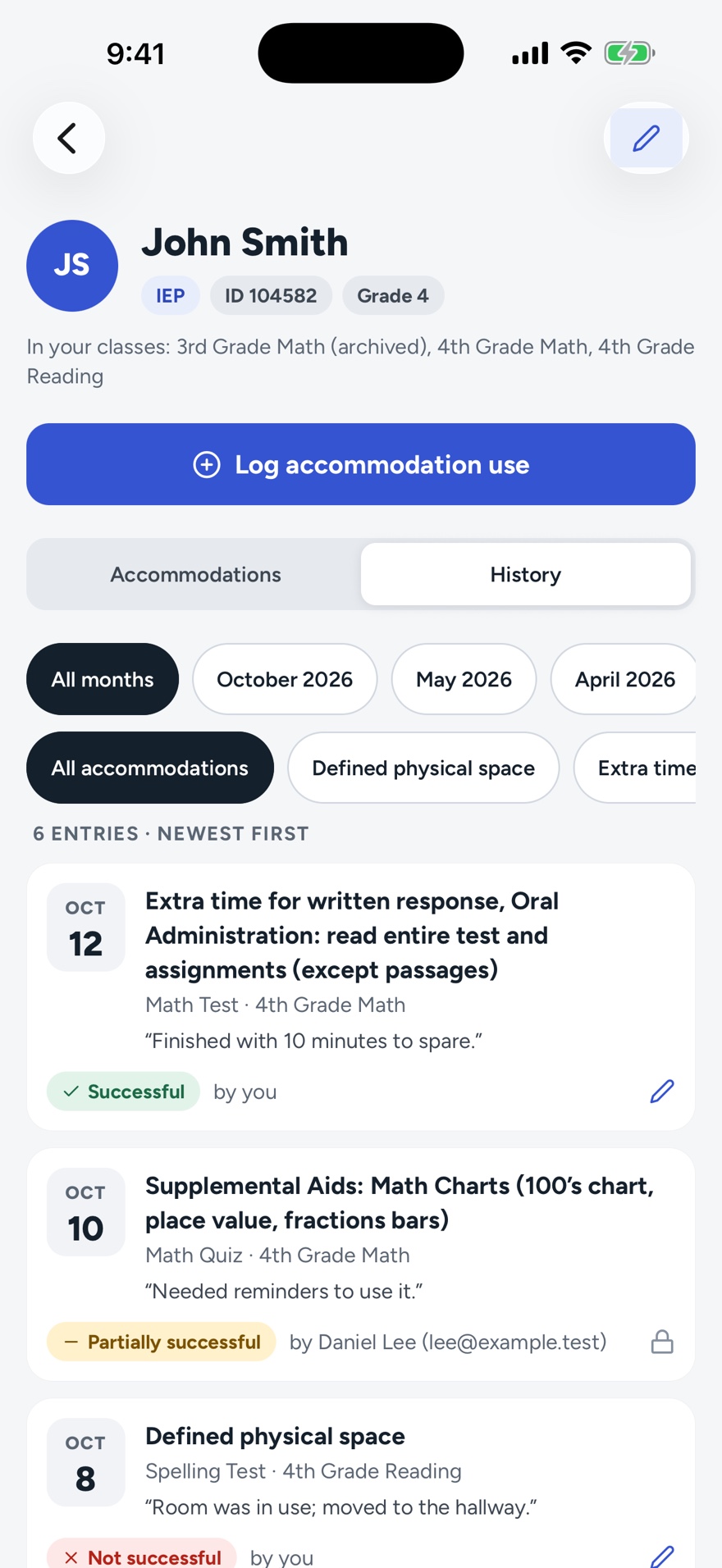
A student's history in Track Deck, filtered by month, listing dated entries with their outcomes.

Co-teachers share one record

Invite the inclusion teacher, the ESL teacher or an aide to a class by email. Everyone logs to the same history, and each entry shows who logged it.

A report ready for the meeting

Choose a student and a date range. Track Deck makes a PDF with every entry, who logged it and a count of outcomes, ready to share or print.
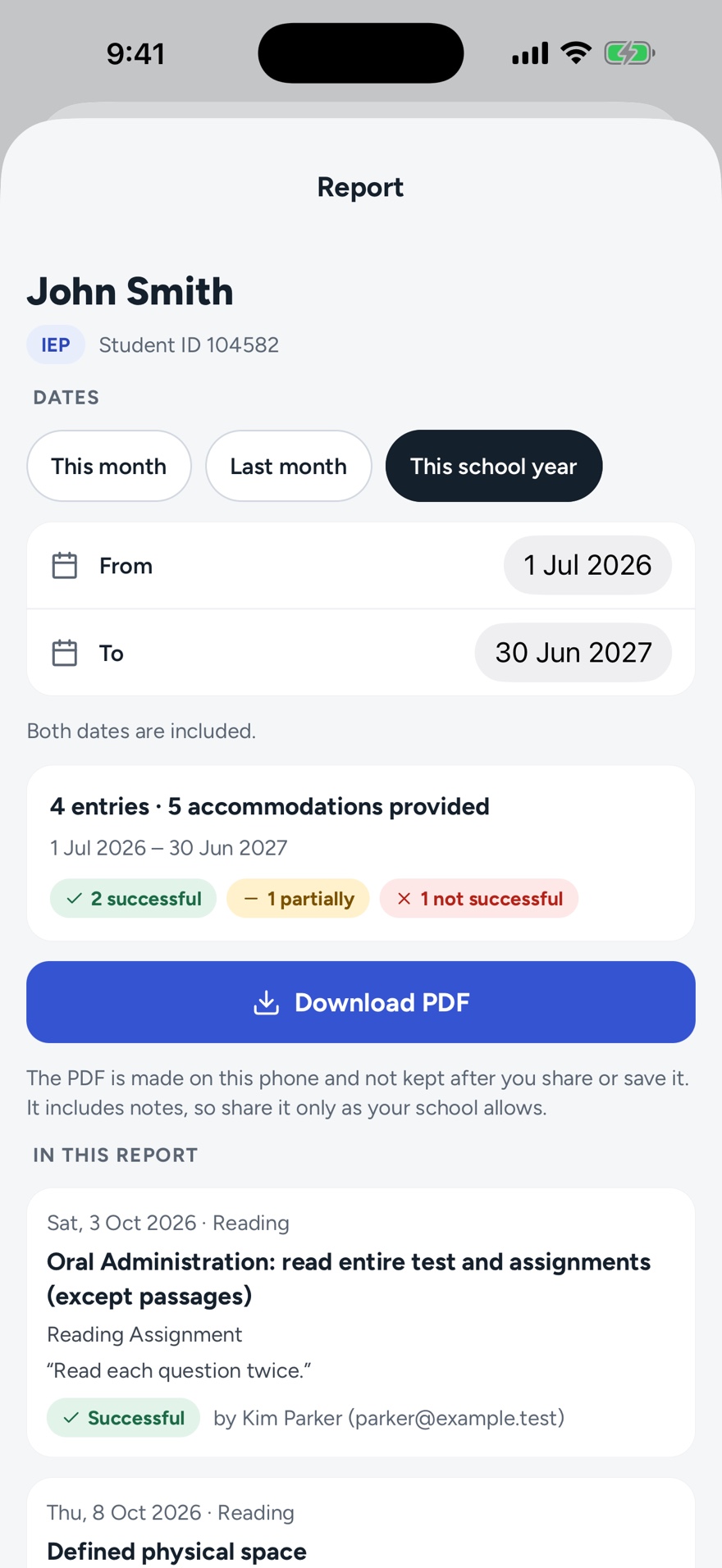
The Report screen in Track Deck for one student and this school year, showing 4 entries, a summary of outcomes and a Download PDF button.

Only what teaching needs, and nothing else

Track Deck holds student names and how their accommodations were used. It was built to keep sensitive records out.

What it holds

  • Student names, school ID and plan type
  • Accommodations, as worded in the plan
  • Log entries: date, class, subject, what it was used for, outcome and an optional note
  • Teacher accounts: name, email and school

What it never has

  • Diagnoses, disability categories or IEP and 504 documents
  • Grades, test scores, birth dates, addresses or parent details
  • Ads, analytics or tracking of any kind
  • Sale or sharing of data, or use for training AI

Read the full privacy policy

Ready for your school's review

Questions from a principal, a district or IT? Email trackdeckllc@gmail.com.

Teachers see only their own classes
A teacher sees a student only while that student is in one of their classes. The database enforces it, not just the app.
Stored in the United States, encrypted
One database on Amazon Web Services in US East, encrypted at rest and in transit. Student records are not saved on the phone.
District email sign-in
A school can be limited to its district's email domains, so only staff can join it.
Export or delete on request
A school or district can ask for its records to be exported or deleted at any time.

Common questions

Do students use the app?

No. Track Deck is for teachers. Students have no accounts and never sign in.

Does it work on Chromebooks and school computers?

Yes. Open it in any modern browser and sign in with the same account as on iPhone.

Our teachers aren't getting their sign-in code.

Codes come from no-reply@trackdeckapp.com. Ask your IT team to allow emails from trackdeckapp.com, then have teachers sign in again to get a new code.

What happens when a teacher leaves?

Their entries stay with the class for the other teachers, shown as "Former teacher". Their sign-in, name and email are removed when they delete their account.

Start logging with your next class